Draw Your Cart Creators & Community
Who builds Draw Your Cart, where the group lives, and how to follow real updates.
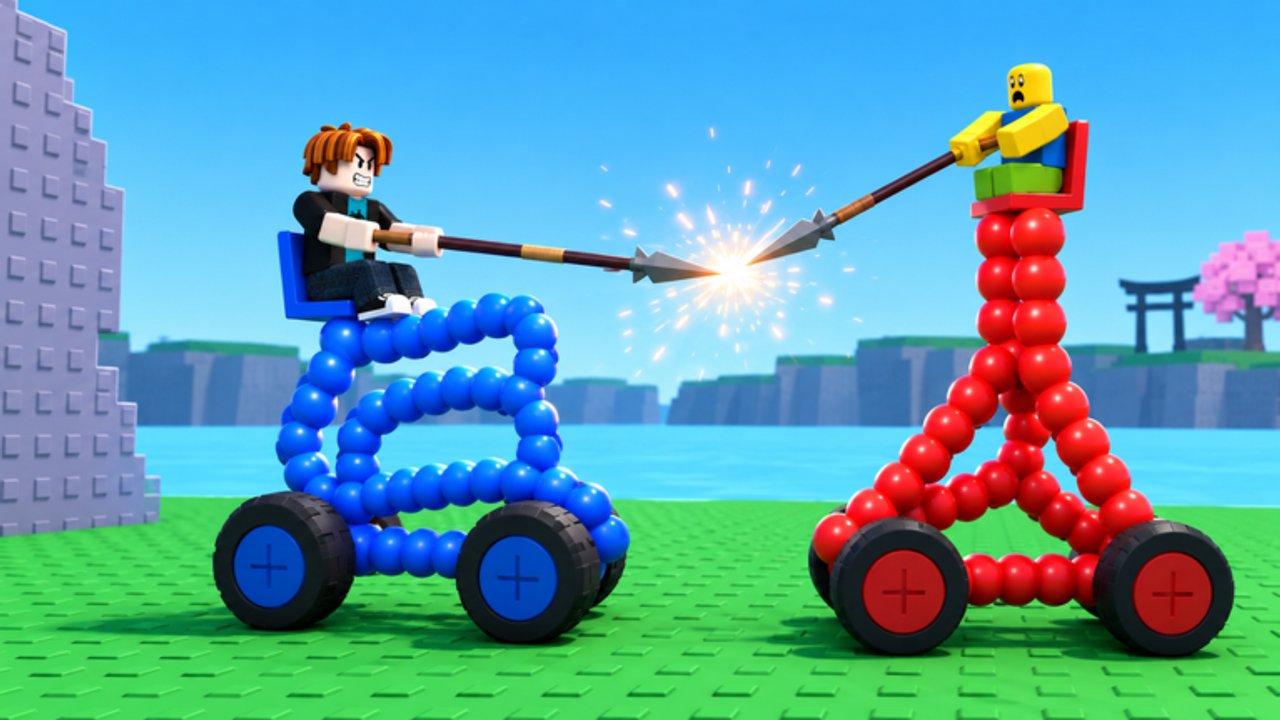
The Players Hub on this wiki focuses on the people and community around Draw Your Cart — not a fictional character roster. Knowing who ships the game, where they post, and how the Roblox group is organized helps you spot real patch news, avoid fake code discords, and understand why the experience feels the way it does.
SendyStudios
SendyStudios is the studio credit behind Draw Your Cart. On Roblox, the public community hub is the SendyStudios group:
- Group link: SendyStudios on Roblox
- Approximate membership at research time: ~10.8K members
- Why join: shoutouts, group wall / shout updates, social proof for official-looking announcements, and a cleaner signal than random comment sections
When a promo code, event, or major patch lands, group shouts and related social posts are among the first places worth checking (alongside the experience page itself). Bookmark the group and enable notifications if Roblox offers them on your device.
Adam / adamdoesroblx / AdamRBLX
Adam (known across Roblox and YouTube as adamdoesroblx / AdamRBLX) is the public developer face tied to Draw Your Cart’s launch marketing and gameplay showcases. Developer videos are useful for:
- Seeing intended draw → FIGHT → swipe loops before you invent bad habits
- Spotting UI changes after patches
- Understanding feature framing for upgrades, skins, duels, and bosses
This wiki only embeds real AdamRBLX video IDs when a page needs one visual — never fabricated IDs. For written systems help, prefer our Guides Hub over relying on a single upload that may predate a physics tweak.
Game snapshot tied to the creators’ launch
- Experience: Draw Your Cart
- Universe ID: 10775599302
- Created / launched: November 9, 2026
- Early traction: on the order of ~700K visits, ~13K CCU peaks discussed in early tracking, and ~28K favorites (figures move quickly on hit party games)
- Genre framing: Party & Casual with a Coloring / Drawing combat twist
- Platforms: Desktop, Console, Mobile, Tablet
That launch curve explains why codes, scripts, and “secret OP cart” posts exploded overnight. Creators move fast; rumor mills move faster. Use this hub to stay anchored to SendyStudios and Adam’s real channels.
How to follow updates without getting scammed
- Roblox experience page — description edits, thumbnails, and linked socials.
- SendyStudios group — membership and shouts via the community page.
- Adam’s video channel — premieres and shorts that demo new ink, weapons, or modes.
- This wiki’s Updates Hub — structured notes, including launch notes.
- In-game UI — shop banners, quest text after 10 wins, and any future codes panel.
Cross-check shiny Discord invites or “Adam giveaway” DMs against those sources. Developers almost never need your password to grant a hat, wheel skin, or ink boost.
What the community tends to discuss
Because Draw Your Cart is a drawing-combat party game, player chatter usually clusters around:
- Ink-efficient cart shapes versus flashy unstable sketches
- Weapon reach and swipe timing in public FIGHT lobbies
- DUEL etiquette and 1v1 practice habits
- Boss prep for the every-10-wins giant fight
- Coin sinks into UPGRADES versus cosmetic SKINS (hats, balls, wheels, flags)
- Whether any codes exist yet (honest answer late Nov 2026: none confirmed)
- Curiosity about scripts (honest answer: no widely verified game-specific scripts we will endorse)
Point newcomers to Getting Started and the Tier List Hub instead of sending them into unverified tool threads.
How this wiki relates to the creators
draw-your-cart.wiki is a fan-made guide site. It is not an official SendyStudios product. We align facts to the live Roblox experience, public group info, and developer-facing media, then expand with guides, tier criteria, and update tracking. Official links are collected on the Links Hub.
If Adam or SendyStudios publish a roadmap, Trello, or Discord later, those URLs will be added to the Links Hub first, then referenced here.
Practical follow checklist
- Join the SendyStudios group and sort its shout history after each patch week
- Favorite the Roblox experience so it stays on your home list
- After playing, skim Updates for patch context before rebuilding your entire main cart
- Use Guides for systems; use Tier List pages for comparative rankings
- Ignore anyone claiming to be Adam in DMs asking for Robux “verification”
Follow the real studio group, watch the real developer content, and let the wiki translate chaotic party lobbies into clear next steps — from first ink stroke to boss-ready builds.
Frequently Asked Questions
Quick answers for Draw Your Cart players.
Who made Draw Your Cart?
Draw Your Cart is from SendyStudios, with Adam (adamdoesroblx / AdamRBLX) as the public developer face behind launch showcases and updates.
Where is the official Roblox group?
Join SendyStudios at https://www.roblox.com/communities/698248102. Membership was around 10.8K during early wiki research and may grow quickly.
How do I get real update news?
Watch the Roblox experience page, SendyStudios group shouts, Adam’s videos, in-game banners, and this wiki’s Updates Hub with launch notes — not random password-asking Discords.
Is this Players Hub a character tier list?
No. Draw Your Cart is about player-drawn carts, not a fixed hero roster. This hub covers creators and community follow paths. For build rankings, use the Tier List Hub.
Is this wiki official?
No. It is a fan resource. Official play happens on Roblox via the Draw Your Cart experience and SendyStudios channels linked throughout the Links Hub.