Draw Your Cart Updates
Launch timeline, early live patches, and how to read rapid changes in a brand-new party fighter.
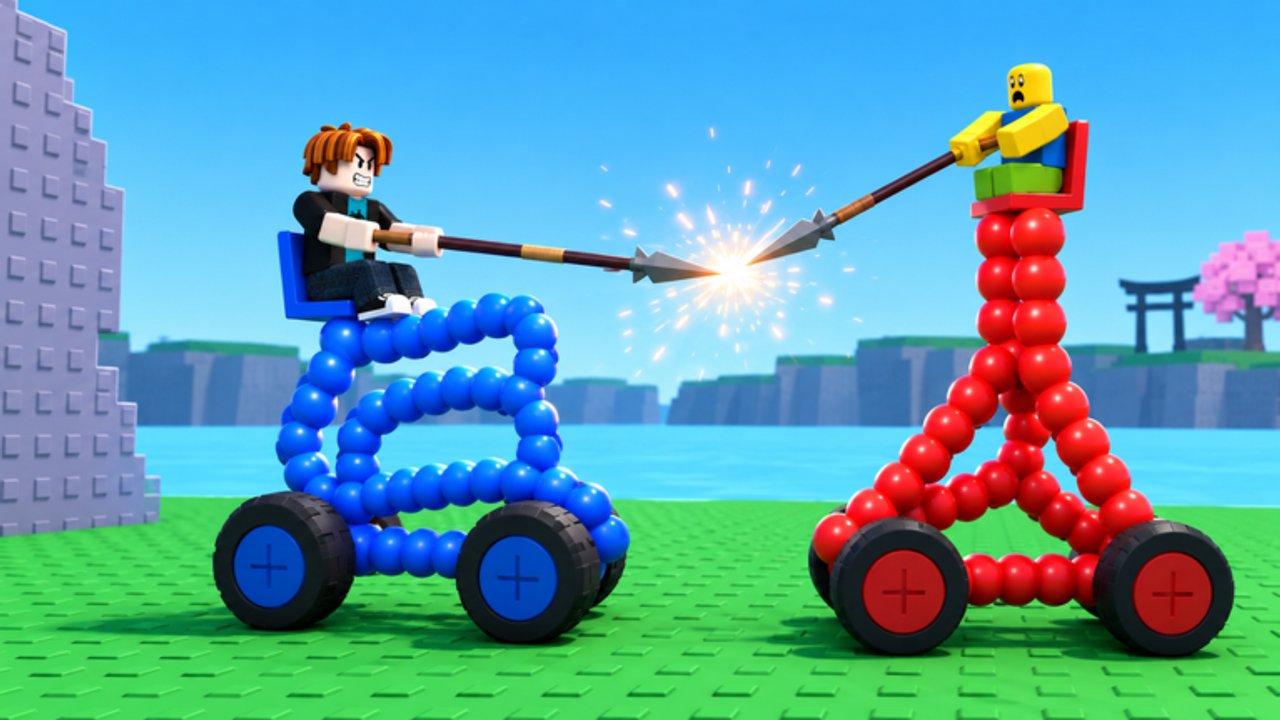
The Updates Hub tracks how Draw Your Cart evolves after its explosive Roblox launch. SendyStudios shipped the experience on November 9, 2026, and the place continued to show fresh update activity through November 25, 2026. That two-and-a-half-week window is classic early-life cadence for a hit party game: fix physics edge cases, tune ink, clarify UI, and respond to tens of thousands of concurrent players drawing chaos into every lobby.
Detailed launch context lives on Launch Notes. The live iteration window is covered in Early Patches. Use this hub for the big picture — what launched, why rapid patches matter to your builds, and how to stay aligned without chasing rumors.
Launch snapshot (November 9, 2026)
- Title: Draw Your Cart
- Studio: SendyStudios (Adam / adamdoesroblx)
- Place: Roblox experience link
- Universe ID: 10775599302
- Pitch: Party & Casual drawing combat — sketch a cart with limited ink (rider, wheels, weapon), press FIGHT, swipe to drive, and eliminate foes via rider hits, water pushes, ground crashes, or piece breaks
- Signature loops called out at launch: boss fight every 10th win, DUEL for 1v1, coin-funded UPGRADES for more INK, SKINS (hats, balls, wheels, flags), QUESTS unlocking at 10 wins, CAREER stats
- Platforms: Desktop, Console, Mobile, Tablet
- Early traction: roughly ~767K visits, strong ~13.8K CCU moments, and about ~30K favorites in the opening stretch (live counters move; treat as order-of-magnitude context)
If you are brand new after a patch week, still begin with Getting Started rather than assuming launch-day muscle memory.
Rapid updates through November 25, 2026
Roblox’s experience “Updated” timestamp advancing to November 25, 2026 signals ongoing live maintenance — not a one-and-done upload. In practical player terms, early patches for a drawing-combat game usually touch some mix of:
- Ink spend feel and drawing constraints
- Wheel traction / tip-over behavior after swipes
- Weapon hit registration on riders versus cart pieces
- Water and ground elimination clarity
- Boss telegraphs or health pacing on the 10-win milestone
- Shop, upgrade, skin, or quest UI bugs
- Performance on Mobile and Console during busy servers
Because patch notes are not always pasted as a long manifesto on day one, verify changes in a short practice session: redraw a known cart, run a FIGHT, optionally DUEL, and note whether yesterday’s S-tier shape still stands. Then recheck the Tier List Hub, weapons, and cart builds.
What to expect from early-life patches
1. Balance nudges without full essays
A weapon that dominated launch weekend may receive quieter reach or mass tweaks. Keep an eye on community clips from AdamRBLX and on whether your ink budget still completes the same chassis.
2. Onboarding polish
Tutorials, button labels, and redeem/quest entry points often firm up after the first traffic spike. That matters for future codes UI even though no confirmed active promo codes exist yet.
3. Anti-abuse and stability
Popular new places attract exploit curiosity. See the Scripts Hub for our honest “no widely verified scripts / do not invent loadstrings” stance, and expect backend or client hardening that can break shady tools overnight.
4. Feature layering
Quests at 10 wins, career stats, skins, and duel framing may deepen after core FIGHT feel stabilizes. Read Upgrades and Ink, Duels, Boss Fights, and Skins and Cosmetics after each notable drop.
5. Content cadence
Party games that hold CCU often add cosmetics, limited events, or mode tweaks. Track announcements via the Players Hub (SendyStudios group ~10.8K members) and the Links Hub.
How to use this wiki after every update
- Skim Launch Notes and any newer update pages we add under
/updates/. - Re-test your main cart for stability and ink cost — see How to Draw Carts.
- Revisit tier criteria: ink efficiency, reach, stability, boss viability.
- Confirm whether codes or script rumors changed (spoiler for late Nov 2026: still none confirmed / none widely verified).
- Adjust coin spending — do not sink everything into a chassis that a patch just softened.
Reporting what changed (player checklist)
When you notice a patch effect, jot down:
- Date/time you entered the experience
- Platform (Mobile vs Desktop can diverge)
- Whether the change hit drawing, driving, combat, bosses, shop, or quests
- A before/after note on one specific cart you know well
That habit beats vague “game feels weird” posts and helps you decide whether to rebuild.
Related hubs
- Deep launch write-up: Launch Notes\n- Live patch window: Early Patches
- Systems learning: Guides Hub
- Meta: Tier List Hub
- Creators: Players Hub
- Official URLs: Links Hub
Draw Your Cart is young, loud, and still being tuned. Treat November 9 as day zero, November 25 as proof the studio is iterating, and this Updates Hub as your calm index while lobbies stay chaotic.
Frequently Asked Questions
Quick answers for Draw Your Cart players.
When did Draw Your Cart launch?
The experience was created/launched on November 9, 2026. See Launch Notes for the fuller day-one feature breakdown.
Was the game still updating after launch?
Yes. The experience showed update activity through November 25, 2026, which is typical early-life patching for a fast-growing Roblox party title.
Where are detailed launch notes?
Open the Launch Notes page under Updates for a focused write-up. This hub summarizes timeline, expectations, and how patches affect builds.
Do updates invalidate tier lists and guides?
They can shift specific rankings. Re-test your cart after patches and reread tier criteria — ink efficiency, reach, stability, and boss viability — even when a favorite weapon changes.
How do I hear about the next patch?
Follow the Roblox experience page, the SendyStudios group, Adam’s posts/videos, in-game banners, and this Updates Hub. Avoid password-phishing “patch preview” discords.
Where do I track patches after launch day?
Open Early Patches for the November 2026 live window, then return here for the hub index. Re-test your main cart after every Updated timestamp change.